Friday, March 31, 2023

Java Modules: An Introduction

Java Modules, Oracle Java Certification, Java Learning, Jav Prep, Java Guides, Java Tutorial and Materials, Java Preparation, Java Learning, Java Guides

Java is one of the most widely used programming languages in the world. It has been around for over two decades and has been used to develop some of the most popular software applications in use today. However, Java has always had a few limitations that have hindered its progress in recent times. One of these limitations is the lack of a modular system that makes it easier to develop large and complex software systems. With the release of Java 9, this limitation has been addressed through the introduction of Java modules. In this article, we will take a closer look at Java modules and what they mean for Java developers.

What are Java Modules?


Java Modules are a new feature introduced in Java 9 that allow developers to partition a Java application into smaller, more manageable pieces called modules. Each module contains a set of related packages and classes that are grouped together based on their functionality.

Modules help developers to encapsulate code and reduce the complexity of large-scale applications. They also provide better control over dependencies, allowing developers to specify which modules can access other modules and which cannot. This makes it easier to manage the dependencies between different parts of the application and avoid conflicts and errors.

Modules are defined using a module-info.java file, which specifies the module's name, its dependencies on other modules, and the packages it exports to other modules. When the application is compiled and run, the Java runtime system loads and initializes the modules in a specific order, ensuring that all dependencies are satisfied.

Overall, Java Modules provide a more modular and flexible way to develop and maintain Java applications, making it easier to manage large and complex codebases.

Why do we need Java Modules?


There are several reasons why Java Modules are beneficial and necessary in modern Java development:

1. Modularity: Java applications can become large and complex over time, making it difficult to maintain and evolve them. Java Modules provide a way to modularize the code, allowing developers to break down large applications into smaller, more manageable pieces.

2. Encapsulation: Java Modules promote encapsulation, which is the practice of hiding implementation details from other parts of the application. This helps to reduce dependencies and makes it easier to change the implementation without affecting other parts of the application.

3. Dependency Management: Java Modules provide better control over dependencies, allowing developers to specify which modules can access other modules and which cannot. This makes it easier to manage dependencies between different parts of the application and avoid conflicts and errors.

4. Security: Java Modules provide better security by enforcing stronger access controls between modules. This makes it harder for malicious code to access or manipulate sensitive data or resources.

5. Performance: Java Modules can improve performance by reducing the amount of code that needs to be loaded and executed at runtime. This can result in faster startup times and reduced memory usage.

Overall, Java Modules provide a more flexible, scalable, and maintainable way to develop and manage Java applications, making it easier for developers to build and maintain high-quality software.

How do Java Modules work?


Java Modules work by dividing a Java application into smaller, self-contained units of code called modules. Each module contains a set of related packages and classes that are grouped together based on their functionality.

To create a Java Module, you need to create a module-info.java file that specifies the module's name, dependencies, and exports. The module-info.java file is located in the module's root directory and is compiled along with the module's source code.

When you compile a Java Module, the Java compiler checks the module-info.java file and generates a module descriptor that contains information about the module's name, dependencies, and exports. The module descriptor is stored in the module's JAR file.

At runtime, the Java Virtual Machine (JVM) reads the module descriptor and loads the module's classes and resources. The JVM uses a modular class loader to load classes from the module's JAR file and its dependencies, ensuring that all dependencies are satisfied before the module is loaded.

Once a Java Module is loaded, its classes and resources are encapsulated from other modules by default. This means that they cannot be accessed from outside the module unless they are explicitly exported or opened to other modules.

Java Modules also provide a way to declare services that can be provided by a module and consumed by other modules. This allows modules to interact with each other in a standardized way, without creating unnecessary dependencies.

Overall, Java Modules provide a modular, flexible, and secure way to develop and maintain Java applications, making it easier to manage large and complex codebases.

How to use Java Modules?


To use Java Modules in your application, you need to follow these steps:

1. Install Java 9 or higher: Java Modules were introduced in Java 9, so you need to have Java 9 or higher installed on your system to use them.

2. Create a module-info.java file: The module-info.java file is used to define a module. You need to create this file in the root directory of your module and specify the module's name, dependencies, and exports.

3. Compile your modules: Once you have created the module-info.java file, you need to compile your modules. You can compile your modules using the javac command with the -d option to specify the output directory.

4. Package your modules: After compiling your modules, you need to package them into JAR files. You can package your modules using the jar command with the --create option.

5. Run your application: Finally, you can run your application using the java command with the -p option to specify the module path and the -m option to specify the main module. You can also use the --module option to specify additional modules.

Here's an example of a module-info.java file:

module com.example.mymodule {
    requires java.base;
    requires com.example.mylibrary;

    exports com.example.mymodule.api;
}

In this example, the module "com.example.mymodule" requires the "java.base" module and the "com.example.mylibrary" module. It also exports the package "com.example.mymodule.api" to other modules.

To compile and package this module, you can use the following commands:

javac -d out/production/mymodule module-info.java com/example/mymodule/api/*.java
jar --create --file mymodule.jar -C out/production/mymodule.

To run this module, you can use the following command:

java -p mymodule.jar:mylibrary.jar -m com.example.mymodule/com.example.mymodule.Main

In this example, we specify the module path using the -p option and the main module using the -m option. We also include the "mylibrary.jar" file in the module path as it is a dependency of our module.

Advantages of using Java Modules


There are several advantages to using Java Modules in your application:

1. Modularity: Java Modules provide a modular architecture for developing applications. By breaking down a large application into smaller, more manageable modules, it becomes easier to develop, test, and maintain.

2. Encapsulation: Java Modules promote encapsulation by hiding the implementation details of a module from other modules. This reduces the coupling between modules and makes it easier to evolve and change the implementation of a module without affecting other modules.

3. Dependency Management: Java Modules provide a better way to manage dependencies between modules. Modules can specify which modules they require and which modules they export, making it easier to ensure that all dependencies are satisfied and avoiding conflicts.

4. Stronger Access Control: Java Modules provide stronger access control between modules, making it harder for malicious code to access or manipulate sensitive data or resources.

5. Improved Performance: Java Modules can improve application performance by reducing the amount of code that needs to be loaded and executed at runtime. This can result in faster startup times and reduced memory usage.

6. Standardized Service Provider Interface: Java Modules provide a standardized service provider interface that allows modules to provide services to other modules in a consistent and standardized way.

Overall, Java Modules provide a more flexible, scalable, and maintainable way to develop and manage Java applications, making it easier for developers to build and maintain high-quality software.

Disadvantages of using Java Modules


While there are many advantages to using Java Modules, there are also some potential disadvantages that should be considered:

1. Learning Curve: The introduction of Java Modules requires developers to learn new concepts and techniques for developing modular applications. This can require additional time and resources for training and development.

2. Compatibility: Applications that use Java Modules may not be compatible with older versions of Java that do not support modules. This can limit the portability and compatibility of applications that use modules.

3. Complexity: Developing modular applications using Java Modules can increase the complexity of the development process, especially for large applications that require many modules. This can make it harder to develop, test, and maintain the application.

4. Interoperability: Java Modules may not be compatible with existing frameworks or libraries that were not designed to work with modular applications. This can require additional effort to integrate existing code into a modular application.

5. Build and Deployment: Building and deploying applications that use Java Modules can be more complex than traditional Java applications. This can require additional tools and configuration to manage the build and deployment process.

Overall, while Java Modules provide many benefits, they may not be the best choice for every application. Developers should carefully consider the complexity, compatibility, and learning curve associated with using Java Modules before deciding to adopt them in their projects.

Wednesday, March 29, 2023

Quiz yourself: Java’s date and time TemporalAccessor generation interface

Core Java, Java Tutorial and Materials, Java Career, Java Skills, Java Jobs, Java Prep, Java Preparation

By the way, how’s your working knowledge of the Liskov substitution principle?


Given the following code fragment

String pattern = "dd MMM yyyy HH:mm";
DateTimeFormatter formatter = DateTimeFormatter.ofPattern(pattern);
LocalDate x = LocalDate.of(2022, 11, 1);
System.out.println(formatter.format(x));

What is the result if the default locale is en_US? Choose one.


A. 01 Nov 2022 is printed.
B. 01 11 2022 is printed.
C. 01 N 2022 is printed.
D. 01 November 2022 is printed.
E. Compilation fails.
F. A runtime exception occurs.

Answer. The Date and Time API added to Java 8 seeks to provide a generalizable API for calendars and time systems that might vary substantially across cultures. For example, the Gregorian calendar is widely used throughout the world, and it has 12 months, most of which have 30 or 31 days.

However, some calendars have different numbers of months in a year, and some have different numbers of days in their months. This means that the concepts of date and time are surprisingly complex.

When faced with complexity, software engineers typically try to find generalizations that allow simplifications and abstractions, and they use them to allow client code to be simpler.

The Date and Time API generalizes many representations of date and time to an interface called TemporalAccessor. In particular, this interface is implemented by LocalDate, LocalTime, LocalDateTime, and ZonedDateTime, among many other classes. The interface generalizes access to fields for the hour of the day, the month of the year, and so forth. The most common of these fields are enumerated in the constants of the enum type ChronoField.

The formatting mechanisms offered by DateTimeFormatter are generalized in terms of TemporalAccessor as well. It’s at this point that a problem arises: The formatter is capable of formatting all manner of fields, including the fields for the hour and minute of time, the day, and the month and year of the date. In the template string, all five of those elements are presented with their placeholders. The pattern characters H and m correspond to the hour of the day (0 through 23) and the minute of the hour, respectively.

However, a LocalDate does not carry any time information, so an attempt to access these values cannot be fulfilled in any sensible way. Rather than present dummy values, the implementation of LocalDate throws an exception in response to requests it cannot properly fulfill.

Exception in thread "main" java.time.temporal.UnsupportedTemporalTypeException: Unsupported field: HourOfDay

Therefore, option F is correct.

The generalization TemporalAccessor, which is an interface, declares the same access methods regardless of the capabilities of the implementing class. Therefore, you can conclude that any code that attempts to access potentially unsupported fields through this interface will not generate compilation errors. This means that option E is incorrect.

It’s interesting to note that this approach, while allowing a powerful generalization over date and time types, contravenes the Liskov substitution principle (LSP) (which represents the L in SOLID, the set of five object-oriented design principles).

Very loosely, this principle suggests that if you believe an object is a generalization of something (in this case, that a LocalDate is a TemporalAccessor), that thing should substitute for the generalization in all uses without causing unexpected results. Surely throwing an exception on an otherwise valid method invocation qualifies as an unexpected result!

However, the benefit of breaking this principle in this situation is that the resulting API is much simpler and, most of the time, easier to use. As a further note, it’s possible to ask the TemporalAccessor whether it supports any given field using the method isSupported(TemporalField tf). However, the formatter does not check; if you use a given pattern character, the formatter requests that field directly, and the exception arises if that field is not supported by the target.

The suggested output shown in options A through D can be extracted successfully from a LocalDate—provided an appropriate formatter is used. For the sake of illustration, consider the following format strings, which would be needed to create those four output variations.

Option A would be correct for this pattern.

String pattern = "dd MMM yyyy";

Option B would be correct for this pattern.

String pattern = "dd L yyyy";

Option C would be correct for this pattern.

String pattern = "dd MMMMM yyyy";

And option D would be correct for this pattern.

String pattern = "dd MMMM yyyy";

Conclusion. The correct answer is option F.

Source: oracle.com

Friday, March 24, 2023

Announcing GraalVM Enterprise 22.3

GraalVM Enterprise 22.3, Oracle Java, Java Certification, Java Prep, Java Preparation, Java Tutorial and Materials, Announcing GraalVM Enterprise, Java Learning, Java Guides

The GraalVM 22.3 release delivers several new features including much anticipated support for Java 19 along with preview support for Project Loom virtual threads in both JVM JIT and Native Image ahead-of-time compiled applications. The release also includes compiler performance improvements, new monitoring and debugging features in Native Image, Python enhancements, and a new name for GraalPython!

Java 19


Java 19 support arrives in GraalVM 22.3 for Java and Native Image. Java 19 introduces language improvements from project Amber (Record Patterns and Pattern Matching for Switch), library enhancements to interoperate with non-Java Code (Foreign Function and Memory API), and the ability to leverage vector instructions (Vector API) from project Panama. It also adds preview support for Project Loom (Virtual Threads and Structured Concurrency).

Loom's virtual threads are a huge step forward for Java and can drastically reduce the effort required to write and maintain high-throughput, concurrent applications in Java. Now in GraalVM 22.3 for JDK 19 there's preview support for virtual threads. Native Image ahead-of-time compiled applications using vitual threads exhibit the same low resource requirements typically seen in native executables. This was demonstrated in a recent Devoxx conference session using a version of Conway's Game of Life that uses virtual threads with Native Image.

jlink


The JDK jlink utility generates a generates a custom runtime image that contains just the modules you need to run an application. Now in GraalVM 22.3 you can run jlink to generate a custom runtime image that uses the optimizing Graal JIT compiler for small high-performance application--these are ideal for use in containers when Native Image is not suitable.

Performance


GraalVM 22.3 introduces a new Graal JIT compiler optimization that uses a separate isolate for each compilation thread.  This change resulted in a significant 38% improvement in compilation speed on Renaissance, DeCapo, and Scala-DeCapo benchmarks.  This optimization is enabled by default and requires no configuration change.

Native Image


As GraalVM Native Image adoption continues to grow, additional developer tools and production monitoring and debugging support is needed. For monitoring, GraalVM 22.3 adds new JDK Flight Recorder (JFR) events (JavaMonitorEnter, JavaMonitorWait, and ThreadSleep) that build on the previous support for custom JFR events. JFR support will continue to be enhanced until it is on par with the JVM to ensure that ahead-of-time compiled applications enjoy the same level of support as JIT applications.

GraalVM Enterprise 22.3, Oracle Java, Java Certification, Java Prep, Java Preparation, Java Tutorial and Materials, Announcing GraalVM Enterprise, Java Learning, Java Guides
Performance analysis of native executables is improved with new support for the Linux perf command so that perf report prints Java method names in its output histogram. This means you can map native machine code performance issues to your original Java source. You can read more about using perf and valgrind in the GraalVM documentation.

GraalVM 22.3 provides initial support for jvmstat along with a new command line option to enable it. The -enable-monitoring=<all,heapdump,jfr,jvmstat> option provides fine-grained control over monitoring features included in native executables. The -H:+AllowVMInspection option is now deprecated.

Python


GraalVM support for Python has some big advances in the 22.3 release and also gets a name change. Starting with GraalVM 22.3, "GraalPython" is now "GraalPy". In accordance with this change, the launcher has been renamed to graalpy and symlinks from python and python3 are added to provide better integration with other tools.

GraalPy pip support is enhanced to automatically choose the best version for a known package. For example, "pip install pandas" selects the versions of pandas and numpy that have been tested with GraalPy. And with the addition of support for the sys.settrace API, you can now use GraalPy in PyCharm as the standard Python interpreter and with other standard tools.

GraalVM is known for its excellent performance and that applies to Python with a number of improvements in the 22.3 release including:

◉ A new bytecode-based interpreter that provides better startup performance and reduces memory footprint while retaining good JIT-compiled performance
◉ A 20-25% improvement in interpreter performance
◉ A 25% reduction in memory footprint in all benchmarks
◉ For developers on Apple silicon, GraalPy AArch64 binaries for Darwin and Linux are now available.

Source: oracle.com

Thursday, March 23, 2023

Java EE 7 Application Developer (1Z0-900) Certification: Is It Worth It?

1z0-900, java ee 7 application developer 1z0-900 study guide pdf, 1z0-900 book, java ee 7 application developer, java ee 7 application developer exam, java ee 7 application developer certification, 1z0-900 exam, 1z0-900 certification

The Java EE 7 course, aligned with the Oracle Java EE 7 Application Developer (1Z0-900) exam, certifies programming skills for developing and deploying Java Platform, Enterprise Edition 7 applications. Enterprise Edition (Java EE) is the industry standard for community-driven enterprise applications. Industry professionals, commercial and open source organizations, Java User Groups, and countless people contributed to the development of Java EE through the Java Community Process.

Anyone who has finished Java SE training and wants to expand their knowledge into the Java enterprise world should take this course. The Oracle Java EE 7 Application Developer exam verifies programming skills for developing and deploying Java Platform, Enterprise Edition 7 applications.

Importance of Oracle 1Z0-900 Certification for IT Professionals

Oracle Certification allows professionals to demonstrate in-demand abilities, improve overall job performance, and expand their earning potential while enhancing on-the-job confidence.

Candidates with the Oracle Foundations Associate Certification have a solid understanding of critical concepts and services. These are entry-level certifications for individuals with technical and non-technical backgrounds who want to demonstrate their knowledge of Oracle technologies and acquire an Oracle Certification. Oracle Certified Professionals are experts in Oracle products. This level of certification verifies advanced knowledge of Oracle ideas and abilities, as well as hands-on experience using them in real-world circumstances.

It is generally a program or action used to execute administration activities such as configuring, monitoring, managing users and their roles, starting and terminating MySQL servers with backups, and other similar operations.

The main benefits of Oracle Java EE Application Developer certification are:

  • Professional Credibility: Credibility in the workplace is earned through a combination of training and certification. Through the certification preparation process, knowledge is retained for a more extended time.
  • Empowerment: Earning a certification can help you earn more money, which will benefit you throughout your career.
  • Job Satisfaction: Certification can help you feel more satisfied at work, whether because you are learning new skills, making more money, obtaining more excellent opportunities, or receiving special recognition.
  • Opportunities and Recognition Have Increased: "Improve professional profile or status" is the most common reason for getting certification. Being viewed as knowledgeable and capable is closely tied to the opportunities you obtain in the corporate world.

With the 1Z0-900 certification, you will have the opportunity to work in better jobs. The 1Z0-900 certification will help you acquire more excellent work opportunities. Adding the Java EE 7 certification to your resume and a list of other qualifications qualifies you for talents in mobile and online application development that are in high demand.

Once you get certified, you can expect a better future as a Java programmer, Java enterprise developer, and Application Developer in one of the top companies in the world.

Java EE 7 Application Developer 1Z0-900 Exam

The Oracle Java EE 7 Application Developer (1Z0-900) Certification exam verifies your competence to develop and deploy Java Platform, Enterprise Edition 7 applications.

It also verifies programming skills for developing and deploying Java Platform Enterprise Edition 7 applications. It's for intermediate to advanced Java Front-End and Back-End application developers, architects, and software engineers that know how to use Java EE 7 technology to design web-based user interfaces with JavaScript, JSPs, JSFs, and servlets, as well as handle business logic.

Skills Required for 1Z0-900 Certification

You should have current training, hands-on programming experience, and previous Java SE certification. The entry-level requirement for the Oracle Java EE 7 Application Developer exam is to have Grade 12, Matric & Maths Literacy for NQF level (National Certificate).

This certification assesses Java EE programming skills, including the ability to:

  • Hands-on programming experience in Java SE is required.
  • Java SE certification (OCA / OCP) is desirable.

1Z0-900 Exam Details

Before moving on to exam details, let us discuss the syllabus. The topic that you need to master to clear this exam is given below:

  • Understand Java EE Architecture
  • Manage Persistence using JPA Entities and BeanValidation
  • Implement Business Logic by Using EJBs
  • Use Java Message Service API
  • Implement SOAP Services by Using JAX-WS and JAXB APIs
  • Create Java Web Applications using Servlets
  • Create Java Web Applications using JSPs
  • Implement REST Services using JAX-RS API
  • Create Java Applications using WebSockets
  • Develop Web Applications using JSFs
  • Secure Java EE 7 Applications
  • Use CDI Beans
  • Use Concurrency API in Java EE 7 Applications
  • Use Batch API in Java EE 7 Applications

Now it is time to get deeper into studies and explore more about SQL concepts. Also, remember to fill out the form for Oracle certification.

  • The exam number for Oracle Certified Professional, Java EE 7 Application Developer exam is 1Z0-900.
  • Only Oracle Certified Associates are eligible to write this exam.
  • This exam paper contains 70 multiple-choice questions that must be answered within 120 minutes.
  • The passing score for this exam is 66%. The 1Z0-900 exam price of this certificate is USD 245 (Pricing may vary by country or by localized currency).
  • The exam is available at any Pearson VUE testing center around the world.

1Z0-900 Exam Preparation Tips and Resources

To build your Java career with Java EE 7 Application Developer 1Z0-900 certification, follow these steps:

  • Gain Basic Knowledge of Java: Start by learning the basics of Java programming language. Understand syntax, data types, control structures, and object-oriented programming.
  • Learn Java EE: Once you understand Java, start learning Java Enterprise Edition (Java EE). This includes Servlets, JSP, JPA, EJB, and other related technologies.
  • Read the Oracle Documentation: Refer to the official Oracle documentation for Java EE 7, available online. This documentation provides detailed information about the Java EE APIs and their usage.
  • Get Hands-on Experience: Practice writing code and building applications using Java EE technologies, which will help you understand the concepts better and gain practical experience.
  • Enroll in a 1Z0-900 Certification Course: Enroll in a Java EE 7 Application Developer 1Z0-900 certification course. This course will give you the necessary knowledge and skills to pass the certification exam.
  • Take the 1Z0-900 Certification Exam: Once you have completed the course, take the Java EE 7 Application Developer 1Z0-900 certification exam. This exam tests your knowledge and skills in Java EE 7 and related technologies.
  • Keep Learning: Java constantly evolves, and new technologies and features are regularly added. Stay up-to-date with the latest developments in Java EE and related technologies by reading blogs, attending conferences, and participating in online forums.

Following these steps, you can build a successful Java career with Java EE 7 Application Developer 1Z0-900 certification.

Conclusion

Obtaining the Java EE 7 Application Developer 1Z0-900 certification can significantly enhance your career prospects in the Java industry. This certification validates your skills and expertise in Java EE 7 technologies, making you a valuable employer asset.

It is important to note that more than certification is needed to build a successful career in Java. Continuous learning, being up-to-date with the latest technologies, and gaining practical experience through hands-on projects are crucial for success in this field.

Following the above steps and continuously improving your skills, you can build a successful and fulfilling career as a Java EE 7 Application Developer.

Good luck on your journey!

Wednesday, March 22, 2023

Quiz yourself: The strange case of the Java developer’s birthday

Quiz Yourself, Java developer’s Birthday, Oralce Java Certification, Java Career, Java Prep, Java Guides, Java Tutorial and Materials, Java Learning, Java Guides Exam

You want to know what the day of the week will be, one year from today.


On her birthday one August, a Java developer decided to check what day of the week her next birthday will fall on.

Given the following partial code

LocalDate birthday = LocalDate.now();
// line n1
DayOfWeek dow = birthday.getDayOfWeek();

Which two of the following could be added at line n1 to perform this calculation? Choose two.

A. birthday = birthday.plus(365, ChronoUnit.DAYS);
B. birthday.plus(365, ChronoUnit.DAYS);
C. birthday = birthday.plus(52, ChronoUnit.WEEKS);
D. birthday = birthday.plus(12, ChronoUnit.MONTHS);
E. birthday = birthday.plus(1, ChronoUnit.YEARS);
F. birthday.plusYears(1);
G. birthday.plus(1, ChronoUnit.YEARS);

Answer. This question investigates some simple rules related to the Gregorian calendar and crucial elements of the Date and Time API added with the release of Java 8.

First, consider the Gregorian calendar. In the options above, you are offered choices involving adding 365 days, 52 weeks, 12 months, and 1 year. Only the last two are reliable, because leap years have 366 days, and no year has a full 52 weeks. So, you can immediately reject options A, B, and C as being incorrect from a logic perspective.

Options D, E, F, and G all look like they attempt to add either 12 months or 1 year, so they look believable from the perspective of business logic. To move forward, though, you must determine if the code is correct from the API perspective.

A key feature of the Date and Time API is that the classes within it (with some exceptions, notably the exceptions it defines) are immutable. This means that, as with the String class, when you invoke a method that changes a date-time element, you do not actually change the contents of the existing object; instead, you create a new object that represents the result of the change.

Therefore, if you wrote this String code

String s = "Hello";
s.toUpperCase();
System.out.println(s);

the output would be Hello because you failed to store the uppercase String HELLO that was created in the second line. The same error is made in options F and G. Both of those options correctly create a date exactly one year in the future—but that object is lost, so the third line of the original code sample would still be operating on today’s date. From this you can determine that options F and G are both incorrect.

You now have only two options left: options D and E. These are both correct from a business logic perspective: They are valid API methods, and the new LocalDate object they create is properly stored for use on the final line. From this you can determine that options D and E must be the correct answers.

However, there’s another wrinkle in this question, which explicitly mentions that it’s August. This has significance; that’s been ignored until now, but the logic given above is not complete without considering this.

When the developer runs the query on her birthday, if that day happens to be February 29 (which means that the day is in a leap year) a decision is forced on the API. Clearly it would be an error if the result were February 29 in the following year because the following year will not be a leap year. Therefore, the API would decide to treat the result as February 28 in the following year. That decision may be arbitrary, but it’s documented and therefore predictable.

That’s why, without a stipulation that precludes “today” from being February 29, even options D and E would be questionable—though they’d still be better choices than the others. If you encounter such a situation in an exam, you would be right to choose them in the absence of any other options.

Conclusion. The correct answers are options D and E.

Source: oracle.com

Monday, March 20, 2023

Go Native with Spring Boot 3 and GraalVM

Introduction


There has been a lot of interest in the past few years about "native Java". You've probably read articles or seen conference talks on the subject.

TL;DR - "native Java"


Traditionally Java programs are compiled to bytecode. At runtime the bytecode is first interpreted and eventually compiled to native machine code by a JVM.

Native Java is the idea of using ahead-of-time (AOT) compilation to produce a native executable or "native image" for a Java application.

A native image can run standalone without relying on a JVM.

This approach potentially offers advantages in terms of:

◉ faster application startup
◉ lower latency
◉ lower memory and CPU footprint and cost

GraalVM is an open source JDK that can compile Java applications to native images, as well as bytecode in the traditional way.

Native Java and Spring

Spring is the most popular Java application framework used today.

Over the last three years, the Spring and GraalVM teams have been working to make it easier for developers to deliver their Spring applications as native images.

Experimental support for native image was achieved via the Spring Native project.

With Spring Boot 3 and Spring 6 (due to be released November 24, 2022), support for native image will be available as a core feature.

Since the release candidate for Spring Boot 3 is now available, this seems a good time to try out the native image support.

Trying it out


So lets have a go at using the Spring Boot 3 release candidate and GraalVM to create a simple web application, compiled to a native executable.

Pre - requisites

You need to have GraalVM and it's native-image tool installed on your machine.

You can download these from here.

Note that you need GraalVM 22.3.0 and the equivalent version of native-image.

I'm using GraalVM Enterprise and native-image 22.3.0

GraalVM, Oracle Java, Oracle Java Certification, Oracle Java Prep, Oracle Java Preparation, Oracle Java Career, Oracle Java Jobs, Oracle Java Skills

The Spring Boot App

The easiest way to get started with building a Spring Boot app is to use the spring initializr.

I'm going to walk through using both Maven and Gradle, so you can pick whichever one you pefer.

You can either enter the configuration by hand, or re use one of:


After choosing the build engine, I selected:

  • Spring Boot: 3.0.0 (RC1)
  • Language: Java
  • Artifact: Vanilla
  • Dependencies:
    • GraalVM Native Support
    • Spring Web

Once you are happy with your configuration click the "GENERATE" button.

Then copy the downloaded file to a directory of your choice, unzip it and cd into the vanilla directory.

Gradle

Start by running the application:

./gradlew bootRun

The application should start in a second or so:

GraalVM, Oracle Java, Oracle Java Certification, Oracle Java Prep, Oracle Java Preparation, Oracle Java Career, Oracle Java Jobs, Oracle Java Skills

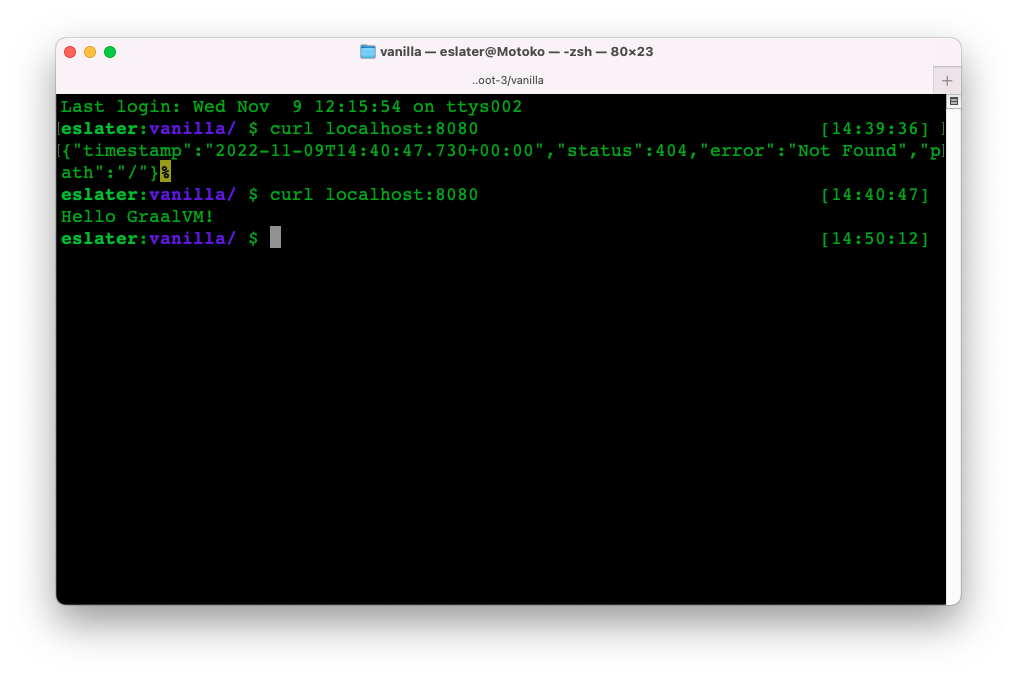
You can to test the application:

curl localhost:8080

GraalVM, Oracle Java, Oracle Java Certification, Oracle Java Prep, Oracle Java Preparation, Oracle Java Career, Oracle Java Jobs, Oracle Java Skills

404 isn't a good look, so let's add a RestController to say something more meaningful.

Copy Hello.java from the code directory into ./src/main/java/com/example/vanilla (or write your own).

If we run the application (./gradlew bootRun) and test it (curl localhost:8080) again we should see a more meaningful response this time:

GraalVM, Oracle Java, Oracle Java Certification, Oracle Java Prep, Oracle Java Preparation, Oracle Java Career, Oracle Java Jobs, Oracle Java Skills

We can also build a stand alone jar:

./gradlew assemble

And run that:

java -jar ./build/libs/vanilla-0.0.1-SNAPSHOT.jar

Again you should see the app start in about a second:

GraalVM, Oracle Java, Oracle Java Certification, Oracle Java Prep, Oracle Java Preparation, Oracle Java Career, Oracle Java Jobs, Oracle Java Skills

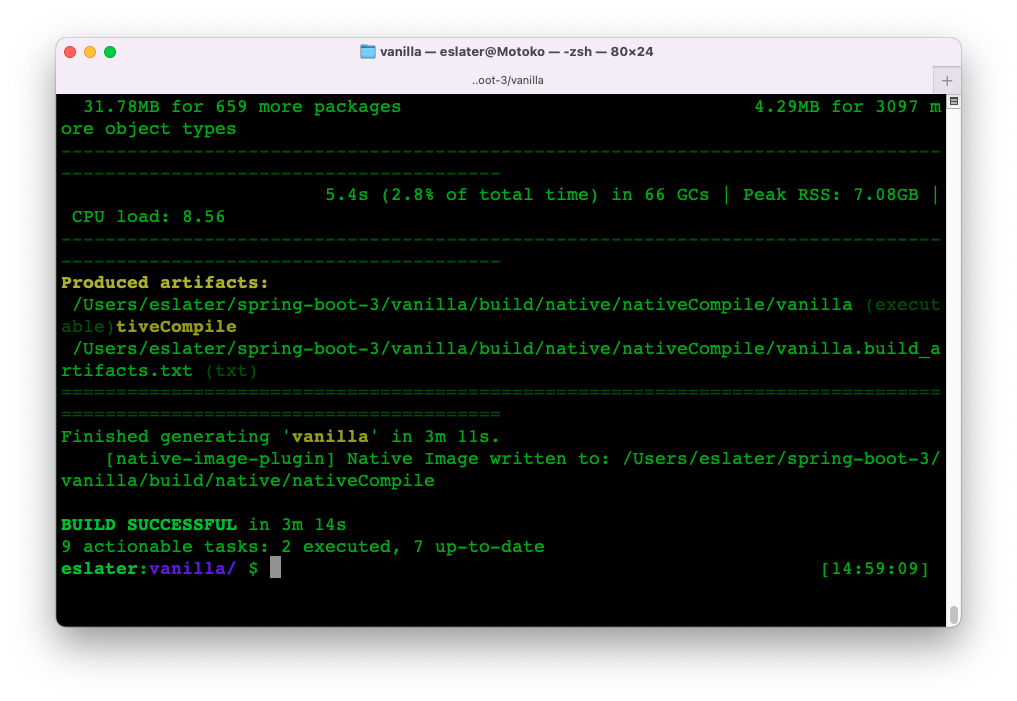
So now we can take the next step and build our native image without having to make any changes to the project:

./gradlew nativeCompile

This may be a good opportunity to have a tea or coffee as it will take two or three minutes as opposed to a couple of seconds for building a jar (on my Mac, YMMV).

Once the build completes:

GraalVM, Oracle Java, Oracle Java Certification, Oracle Java Prep, Oracle Java Preparation, Oracle Java Career, Oracle Java Jobs, Oracle Java Skills

We can run the executable:

./build/native/nativeCompile/vanilla

You should see the application start in around ~0.1 seconds (so about 10x faster).

GraalVM, Oracle Java, Oracle Java Certification, Oracle Java Prep, Oracle Java Preparation, Oracle Java Career, Oracle Java Jobs, Oracle Java Skills

Looking at memory usage on my machine, the native image uses about 1/3 of the memory compared to running the application from the jar.

Maven

Before you start, make sure that $JAVA_HOME is set to point to your GraalVM installation:

$ $JAVA_HOME/bin/java --version
java 17.0.5 2022-10-18 LTS
Java(TM) SE Runtime Environment GraalVM EE 22.3.0 (build 17.0.5+9-LTS-jvmci-22.3-b07)
Java HotSpot(TM) 64-Bit Server VM GraalVM EE 22.3.0 (build 17.0.5+9-LTS-jvmci-22.3-b07, mixed mode, sharing)

Then run the application:

./mvnw spring-boot:run

The application should start in a second or so:

GraalVM, Oracle Java, Oracle Java Certification, Oracle Java Prep, Oracle Java Preparation, Oracle Java Career, Oracle Java Jobs, Oracle Java Skills

You can use curl localhost:8080 to test the application:

GraalVM, Oracle Java, Oracle Java Certification, Oracle Java Prep, Oracle Java Preparation, Oracle Java Career, Oracle Java Jobs, Oracle Java Skills

404 isn't a good look, so let's add a RestController to say something more meaningful.

Copy Hello.java from the code directory into ./src/main/java/com/example/vanilla (or write your own).

If we run the application (./mvnw spring-boot:run) and test it (curl localhost:8080) again we should see a more meaningful response this time:

GraalVM, Oracle Java, Oracle Java Certification, Oracle Java Prep, Oracle Java Preparation, Oracle Java Career, Oracle Java Jobs, Oracle Java Skills

We can also build a stand alone jar:

/.mvnw package

And run that:

java -jar ./target/vanilla-0.0.1-SNAPSHOT.jar

Again you should see the app start in about a second.

So now we can take the next step and build our native image without having to make any changes to the project:

./mvnw -Pnative native:compile

This may be a good opportunity as it will take two or three minutes as opposed to a couple of seconds for building a jar (on my Mac, YMMV).

Once the build completes:

GraalVM, Oracle Java, Oracle Java Certification, Oracle Java Prep, Oracle Java Preparation, Oracle Java Career, Oracle Java Jobs, Oracle Java Skills

We can run the executable ./target/vanilla

You should see the application start in around ~0.1 seconds (so about 10x faster).

GraalVM, Oracle Java, Oracle Java Certification, Oracle Java Prep, Oracle Java Preparation, Oracle Java Career, Oracle Java Jobs, Oracle Java Skills

Looking at memory usage on my machine, the native image uses about 1/3 of the memory compared to running the application from the jar.

Source: oracle.com